
Member portal
Their own account,
under your name
Members and parents sign in to see what they owe, what they have paid, what they have signed and when they last came in. The portal carries your business’s name and answers the questions that would otherwise be a call to your front desk.
Why it matters
Most front-desk calls are questions the record already answers
What do I owe. Did the payment go through. Can I have a receipt. Which waiver did I sign. Each one takes a few minutes at the desk, usually at the busiest hour, and every answer is already sitting on the member’s record.
The portal hands that record to the family, whenever they want it, without anyone at the desk looking it up.
What members see
Everything a family asks the desk for, in one place
- Balance and charge history
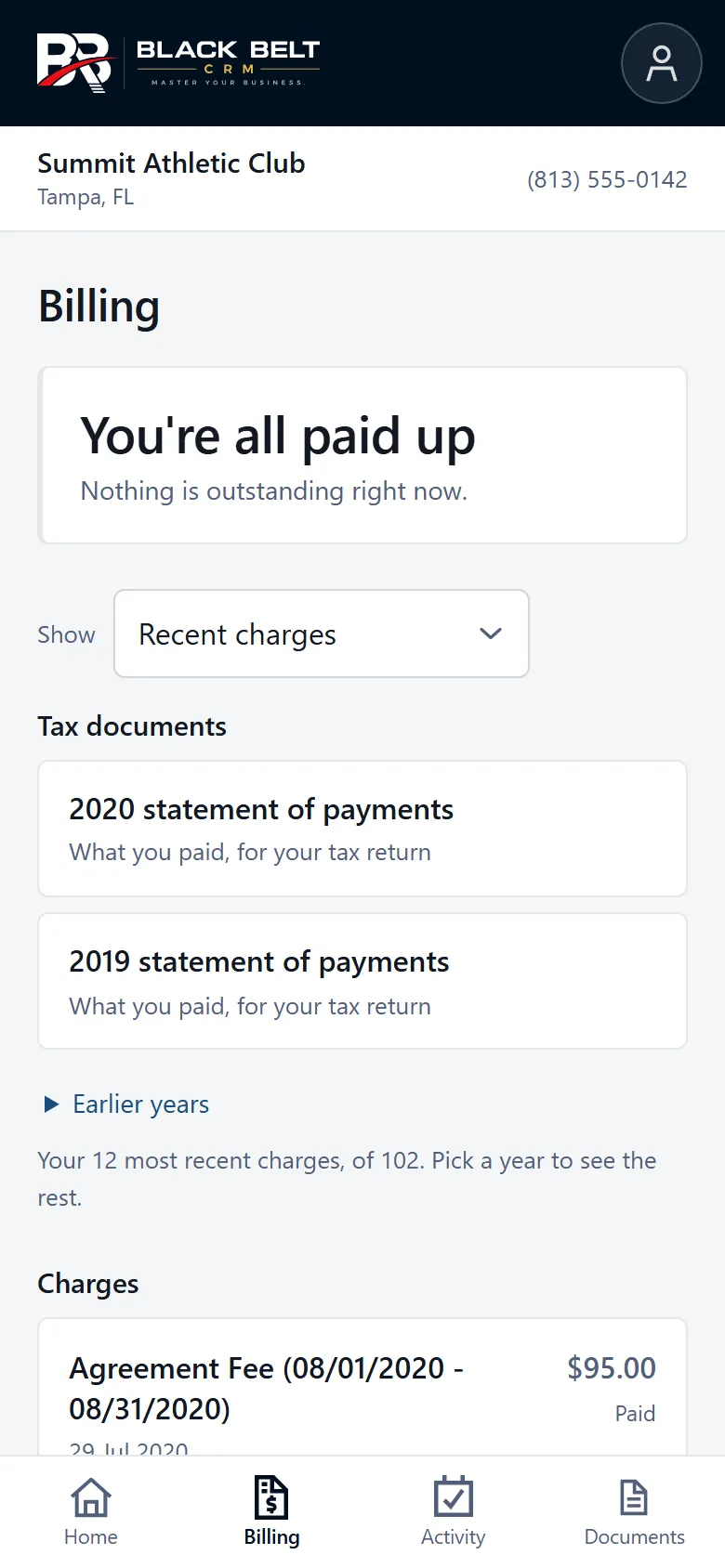
- The current balance, and every charge grouped by year. Receipts open as a clean page the family can save or print, so a lost email is no longer a request to you.
- A year-end statement for the accountant
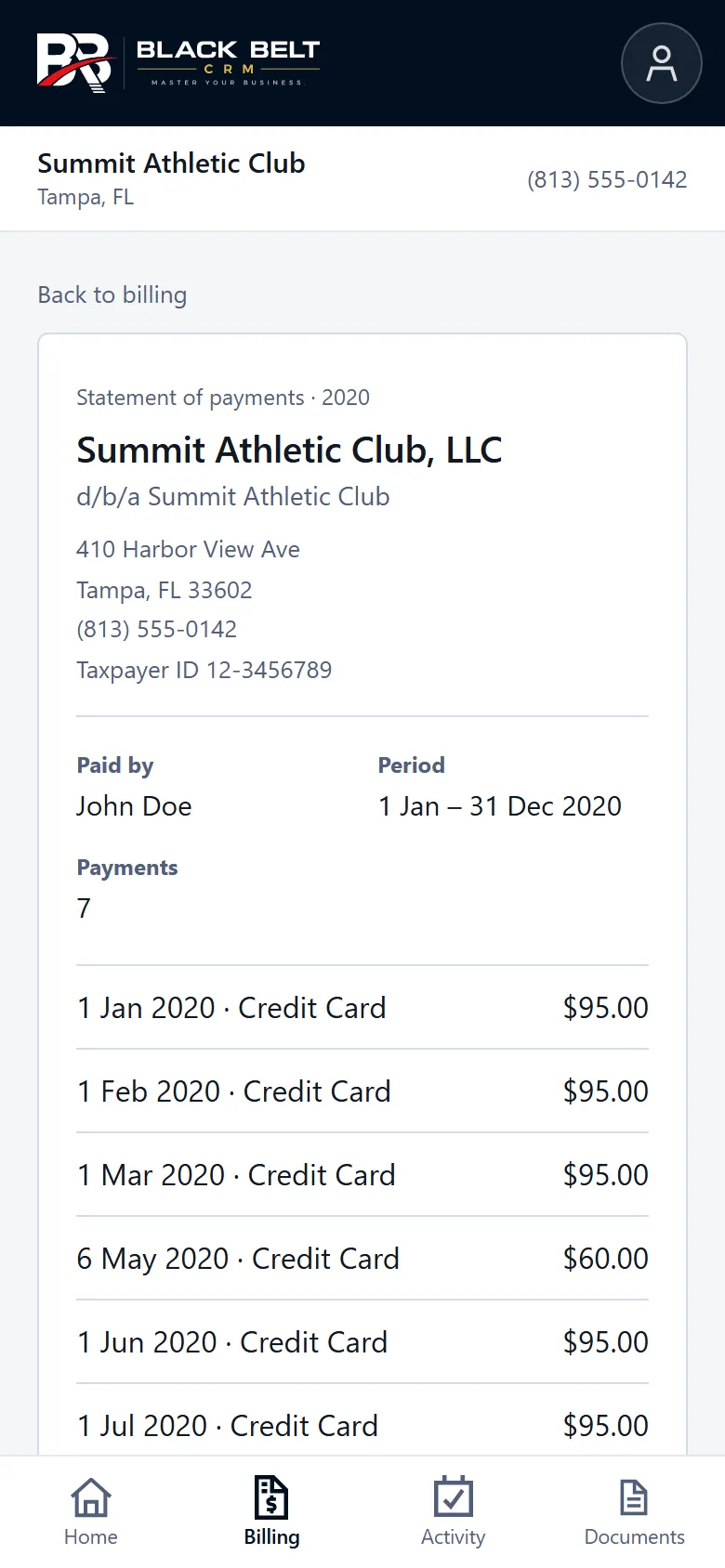
- Every payment in the year, refunds netted, headed with your business’s legal name, d/b/a, address and taxpayer ID. The document a parent hands an accountant at tax time, produced without anyone at your desk building it.
- Waivers and agreements, signed on a phone
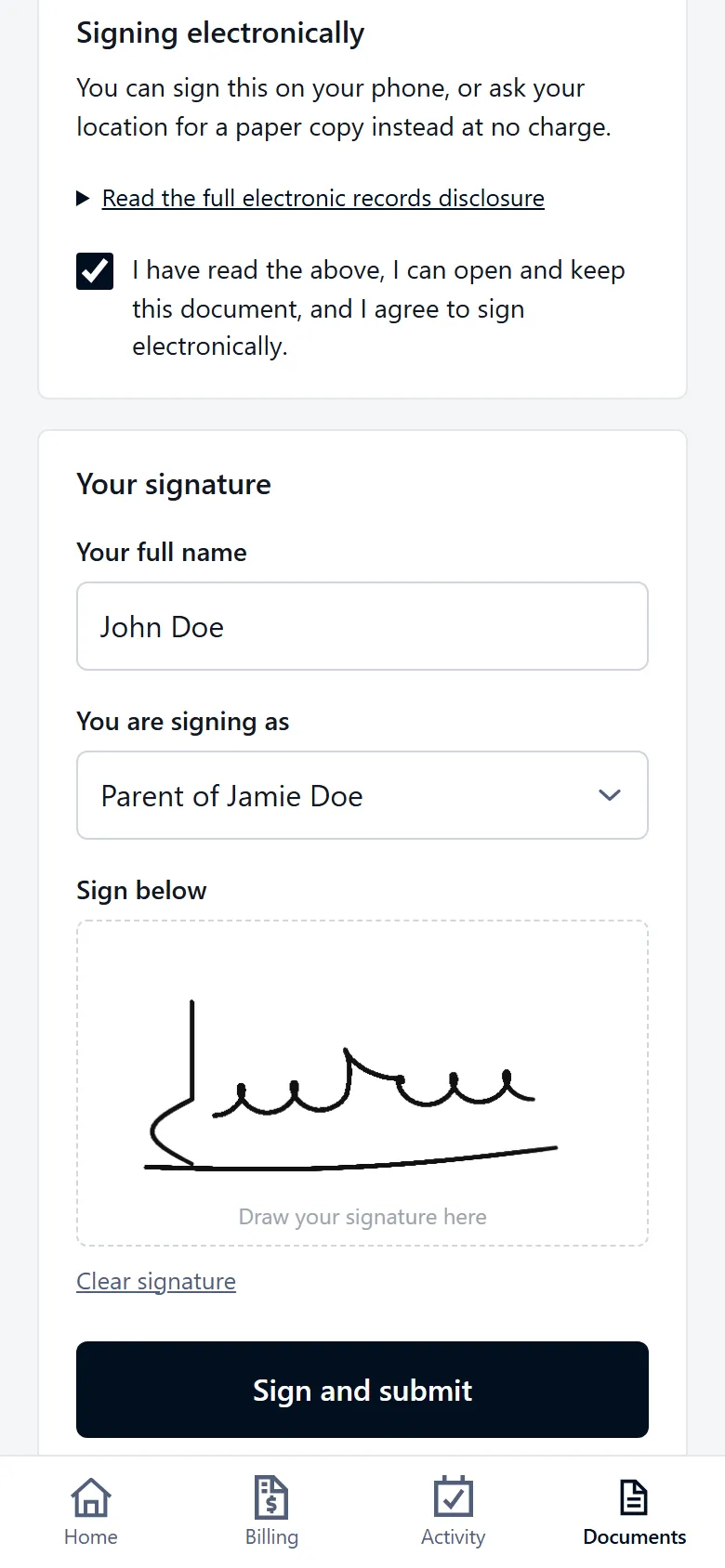
- Documents waiting for a signature are signed from the member’s phone. You keep the full electronic-signature record: the signature, the signed copy, the time it was signed and the consent given.
- Recent visits
- The member’s recent attendance, so a parent can see when their child last came in without asking.
- On the home screen, without an app store
- Members can add the portal to their phone’s home screen and open it like an app. There is nothing to find in a store and nothing to download first.
Your business, not ours
Branded to you, on every plan
A member signing in sees your business’s name, not a software company they have never heard of. The emails that bring them there carry your logo and your name as well, so from the message to the statement it reads as coming from the place they belong to.
Some platforms sell a branded member app as an add-on. Here it is part of the price already on the pricing page, at every size, from the smallest plan up.
Getting in
Sign-in by email, set up by link
Members sign in with the email address on their family record. The first time, they set their own password from a link emailed to them, and a forgotten password is reset the same way. Nobody at the desk creates logins or reads passwords over the phone.
The portal is switched on or off for each Location. Where it is off, a member who tries to sign in is told who to contact at that Location instead of meeting an error page. Where it is on, your emails to families link to it.
What it is not
A place to look things up and sign
The portal is for a family’s own account: what they owe, what they paid, what they signed and when they came. It is not an app in the app stores, and it does not book classes, send push notifications or carry messages. We would rather say that here than have you find it in week two.
In practice
How this runs in your business
Questions
The things people actually ask
Does the member portal cost extra?
No. It is included on every plan, at every size, like every other feature. There is no add-on to buy and no per-member charge for using it.
Do members need to download an app?
No. The portal opens in the phone’s browser from a link in your emails, and members can add it to their home screen so it opens like an app. There is nothing to find in an app store and no store account needed.
Whose name do members see?
Yours. The portal shows your business’s name, and the emails that link to it carry your logo and name. Members deal with the place they belong to, not with a software company they have never heard of.
Can a parent get a statement of what they paid for the year?
Yes. The year-end statement lists every payment in the year with refunds netted, headed with your business’s legal name, d/b/a, address and taxpayer ID. It is the document an accountant asks for, and the family can print it themselves.
What if we are not ready to turn it on?
Leave it off. The portal is switched on or off per Location. Where it is off, a member who tries to sign in is shown who to contact at that Location instead of an error.
Can I see what my members see?
Yes. Owners, administrators and managers can open any member’s summary and choose View member portal. It opens that member’s portal read-only, with a banner so nobody mistakes it for the real sign-in.
Included, like everything else
From $39 a month with every feature switched on. Thirty days free, no card and no contract.